The UC SEO Audit report is more than a single score; it is made of sections, each measuring a different facet of your page. Following the guide on reading the findings, this article explains the remaining report sections one by one.
1. Letter grade: understanding the score at a glance
Under each score sits a letter grade (A+, A, B+, ... D, F). The number tells you what it is; the letter tells you how good it is — placing a 0-100 number in your mind is far easier once you see the letter.
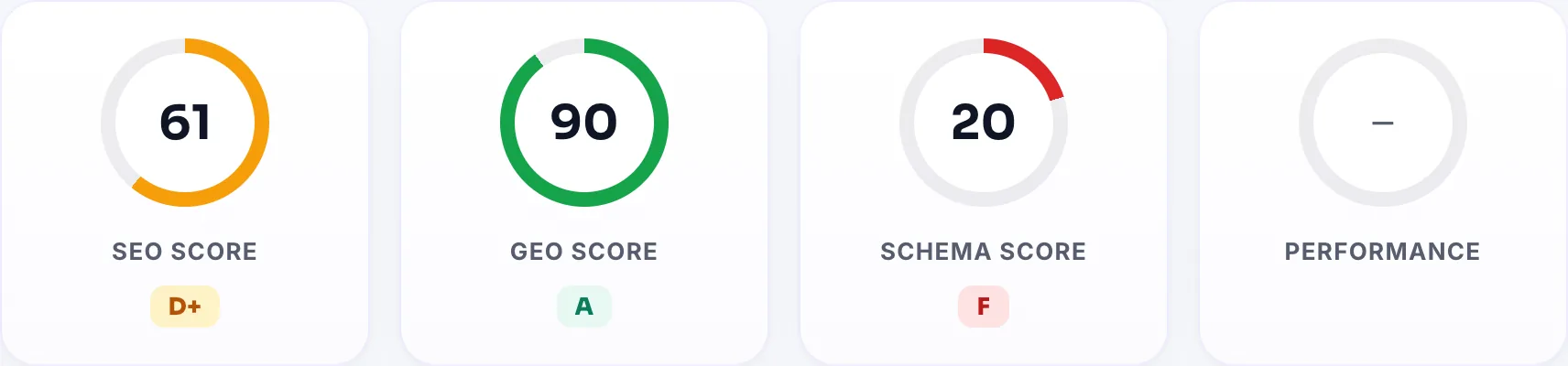
| Grade | Score | Meaning |
|---|---|---|
| A+ / A | 90-100 | Strong; the base is solid, you are fine-tuning |
| B+ / B | 78-89 | Good but a few leaks remain |
| C+ / C | 62-77 | Average; a few important gaps to close |
| D+ / D | 45-61 | Weak; serious gaps in the basics |
| F | 0-44 | Critical; needs priority attention |
2. SERP preview: how you look on Google
The SERP (search engine result page) preview renders how your page will look to a visitor in Google results: blue title, address and grey description.
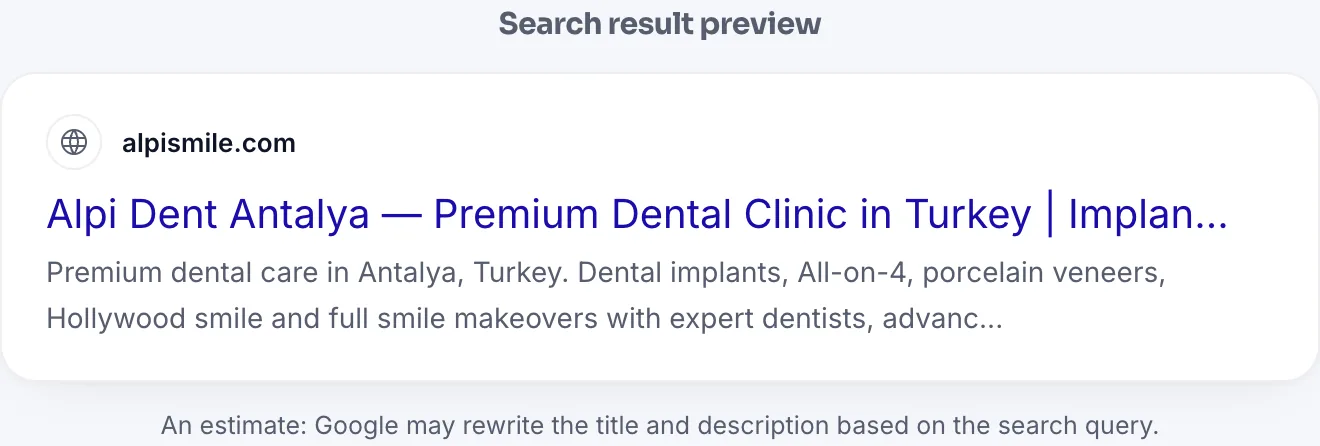
This preview shows two things instantly:
- Is the title cut off? Google truncates the title with "..." after roughly 60 characters. Check whether your most important words stay visible.
- Where does the description come from? If you have no meta description, the preview text is taken from the page body, with a warning noting this. Google does the same; so if you do not define a description, the search result text leaves your control.
3. Technical SEO: mobile compatibility and security
The Technical SEO section lists, line by line, the base checks needed for search engines to read your page correctly. Engine version 1.1 added critical mobile and security checks here:
| Check | What it looks at | Why it matters |
|---|---|---|
| Mobile viewport | Is there a meta viewport tag with width=device-width | Without it, the page shrinks to desktop width on phones; Google uses mobile-first indexing |
| http → https | Does http:// permanently (301) redirect to https | If not, the same page has two addresses; link value is split in two |
| HSTS | Is the Strict-Transport-Security header set | Forces the browser to always connect securely |
| Mixed content | Any resource loaded over http:// on an https page | The browser blocks these; the page may load partially and the security indicator breaks |
| html lang | Is <html lang> defined | Search engines and screen readers learn the page language from here |
| Charset / Favicon | Is it UTF-8 and is there a brand icon | So special characters do not break and your icon shows in search results |
sitemap.xml and robots.txt: "missing" vs "unreachable"
These two rows now show the HTTP status code instead of a raw "not found", because the two are not the same:
| State | Meaning |
|---|---|
| HTTP 200 · Live | The file exists and is readable |
| HTTP 404 · Missing | The file genuinely does not exist; you should add it |
| HTTP 403 · Blocked | The file may exist but the server/firewall blocks it; search bots may be blocked too |
| Could not check | The server did not respond; read this as an unverified check, not a missing item |
4. Social sharing: the WhatsApp and LinkedIn card
When your page is shared on WhatsApp, LinkedIn, Facebook or X, the card that appears is defined by Open Graph and X Card tags. This section audits them:
| Tag | What it sets |
|---|---|
| og:title | The title on the share card |
| og:description | The description line under the card |
| og:image | The large card image; recommended size 1200x630 pixels |
| og:url / og:type | The canonical address and content type |
| twitter:card | The card type on X; summary_large_image gets the highest clicks |
Below this, your social media profile links are also searched (Facebook, Instagram, X, LinkedIn, YouTube, TikTok). Linking your profiles on the page and declaring them via sameAs in Organization schema helps Google verify your brand.
5. Content Volume: is there enough depth
This section measures the real amount of text on the page. Script and style code do not count; only the text a visitor reads counts.
| Word count | Assessment |
|---|---|
| 600+ | Sufficient depth |
| 400-599 | Acceptable; 600+ is safer for informational pages |
| 150-399 | Weak; hard to rank on competitive queries |
| Below 150 | Very short; AI search finds nothing to cite |
6. Email Records: SPF, DMARC, DKIM
This section audits your domain's email authentication records. Important: these records do not affect search ranking, so they are not included in your SEO score. They are shown separately because, when missing, the notification emails from your forms end up in spam.
| Record | What it does |
|---|---|
| SPF | Declares which servers may send email on your behalf |
| DMARC | Sets what happens to emails failing authentication; p=quarantine sends to spam, p=none only reports |
| DKIM | Signs outgoing email to prevent spoofing |
The sections together
As a whole, the report shows where you stand on four axes: findability (technical SEO), shareability (social), citability (GEO and content) and trustworthiness (security and email). The way to raise the score is to close critical findings first, then strengthen these axes in turn.
Enter your address; get your letter grade, SERP preview and all checks in 60 seconds.
Free SEO AnalysisAll Pro features free for 14 days; no credit card, live with a single line of code.
Create a Free Account