UC SEO Glossary publishes real, Google-indexed glossary pages on your own domain. You write the content in the UC panel; the pages appear on your site at addresses like yoursite.com/glossary/implant/. This guide covers term management end to end.
1. The term list and statistics
Five statistics cards at the top summarize your glossary:
| Card | What it shows |
|---|---|
| Total terms | Every record in your glossary |
| Published | Live pages on your site |
| Draft | Being prepared for publication |
| Noindex | Deliberately hidden from Google |
| Views | Last 30 days, all pages |
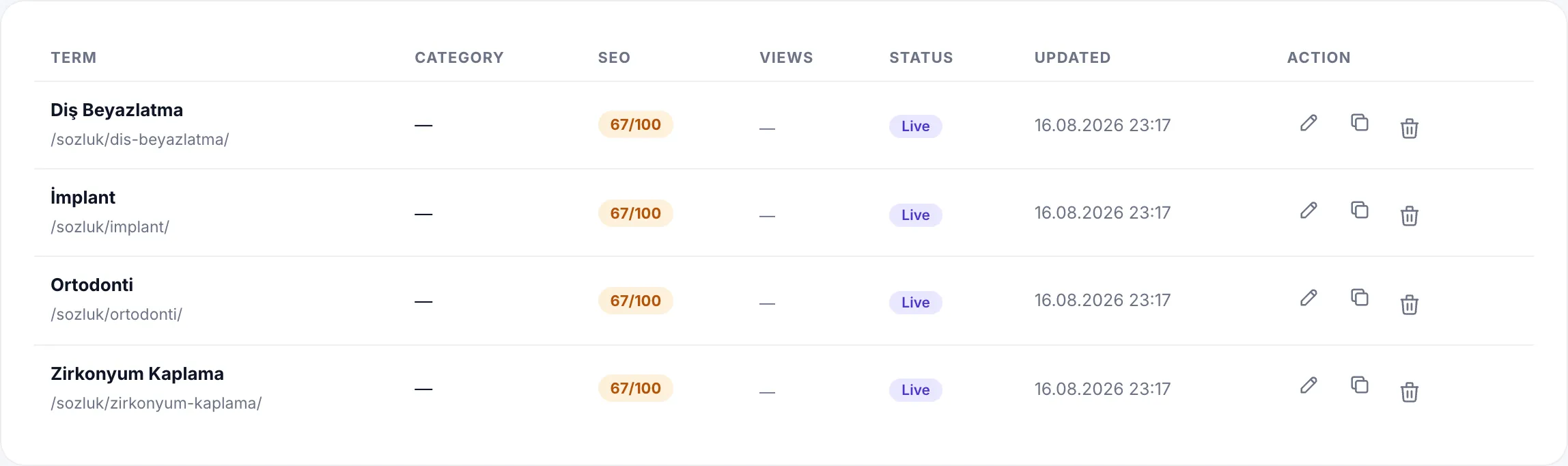
The list filters as All / Published / Draft and the search box matches term names. Each row shows the term and its URL, category, SEO health score, 30-day views, status and last update.
Three actions at the end of each row: edit, duplicate (creates a new draft with the same content) and delete.
2. The term editor: content
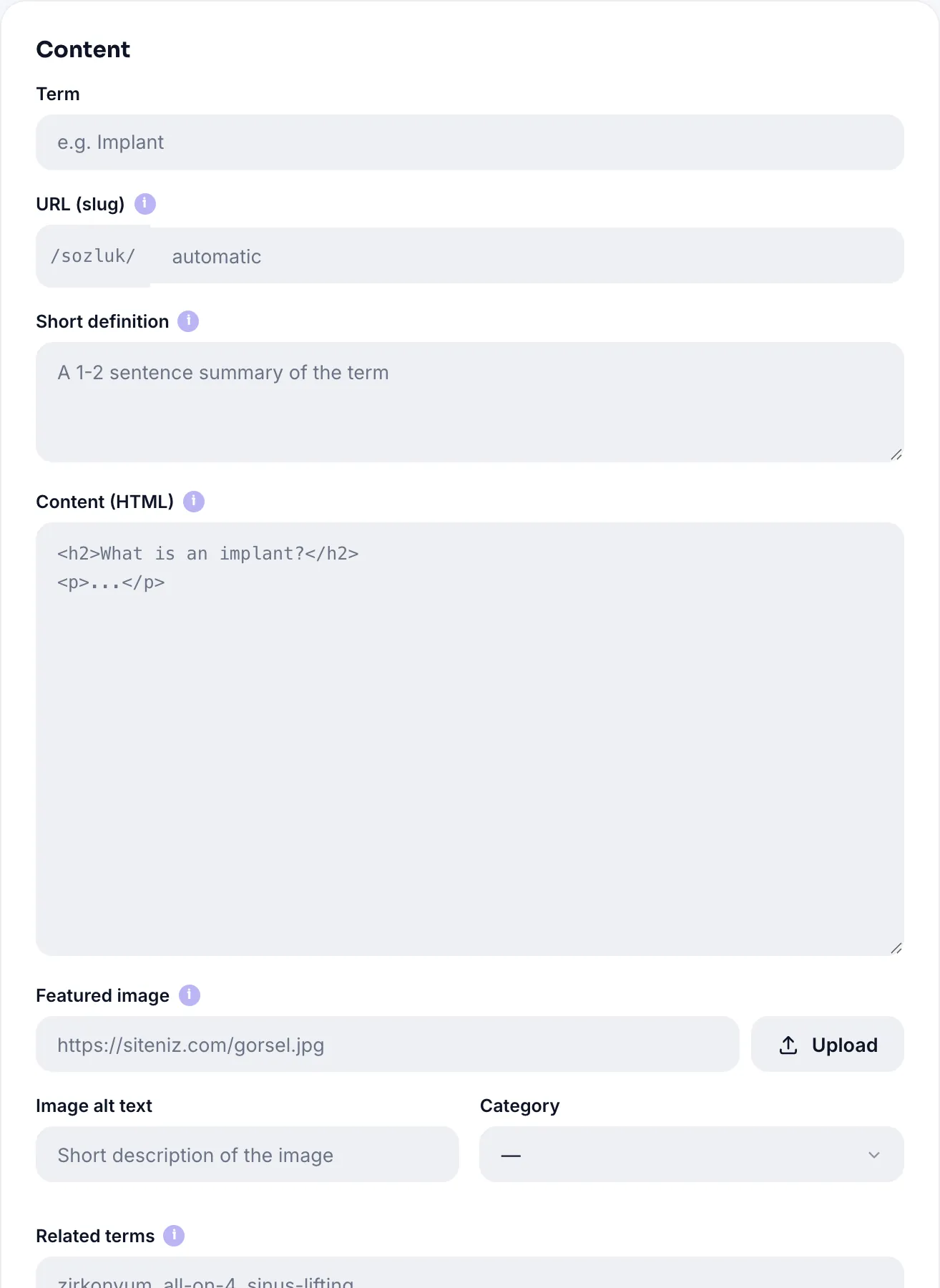
| Field | Limit | What it does |
|---|---|---|
| Term | 190 characters · required | The page headword: "Implant", "Zirconium Crown" |
| URL (slug) | 190 characters | Generated from the term if left empty; special characters are simplified |
| Short definition | 300 characters | A 1-2 sentence summary; used on the index page and in Google when meta description is empty |
| Content (HTML) | unlimited | The body: H2/H3 headings, paragraphs, lists, tables, images |
| Featured image | 2 MB · JPG/PNG/WebP | Shown at the top of the page and in the share card; paste a URL or upload |
| Image alt text | 190 characters | Accessibility and image search |
| Category | select | Breadcrumb and category-page grouping |
| Related terms | up to 12 | Comma-separated slugs; rendered as cards at the bottom |
Content safety
Your HTML is sanitized both on save and on publish: heading, paragraph, list, table, image and link tags are kept, while dangerous tags like script are removed along with their contents. External links get rel="noopener" and images get loading="lazy" automatically.
3. SEO and social sharing settings
The editor's SEO section includes a live Google preview that updates as you type, showing how the title, address and description will look in search results.
| Field | Limit | If left empty |
|---|---|---|
| SEO title | 190 characters | Generated as "Term Nedir? · Glossary Name" |
| Meta description | 300 characters | The short definition is used |
| Custom canonical | 300 characters | The page points to its own address (normally leave empty) |
| Noindex | on/off | Off: the page is open to Google |
| Nofollow | on/off | Off |
| OG title / description / image | 190 / 300 / 2 MB | Filled from the SEO title, meta description and featured image |
The OG fields define the card shown when your page is shared on WhatsApp, LinkedIn or X. Recommended image size is 1200x630 pixels.
4. SEO health: a 9-point check
Every saved term shows an SEO health score from 0 to 100 on the right, plus a checklist of what is missing:
| Check | Passes when |
|---|---|
| SEO title | A custom title is set, or the term name is at least 3 characters |
| Meta description | A meta description is set, or the short definition is 50+ characters |
| Short definition (50+ characters) | The short definition is at least 50 characters |
| Content (300+ characters) | The body is at least 300 characters |
| Subheading (H2/H3) | The content has at least one subheading |
| Image | A featured image is set |
| Image alt text | There is no image, or alt text is filled |
| Related terms | At least one related term is defined |
| Indexable | Noindex is off |
5. Draft and publish
The Publish card on the right has two states:
| Status | Meaning |
|---|---|
| Draft | Visible only to you; no page is created on your site |
| Published | A real page Google can see is generated |
Save and Publish generates the page instantly. For published terms, the Preview button opens the real page in a new tab.
6. Categories

Categories do three jobs: they act as filters on the index page, they get their own SEO pages (/glossary/category/...), and they appear in each term's breadcrumb.
| Field | Limit | Note |
|---|---|---|
| Category name | 120 characters | e.g. "Treatments", "Aesthetics" |
| Description | 300 characters | The category page's meta description and intro paragraph |
7. Glossary settings
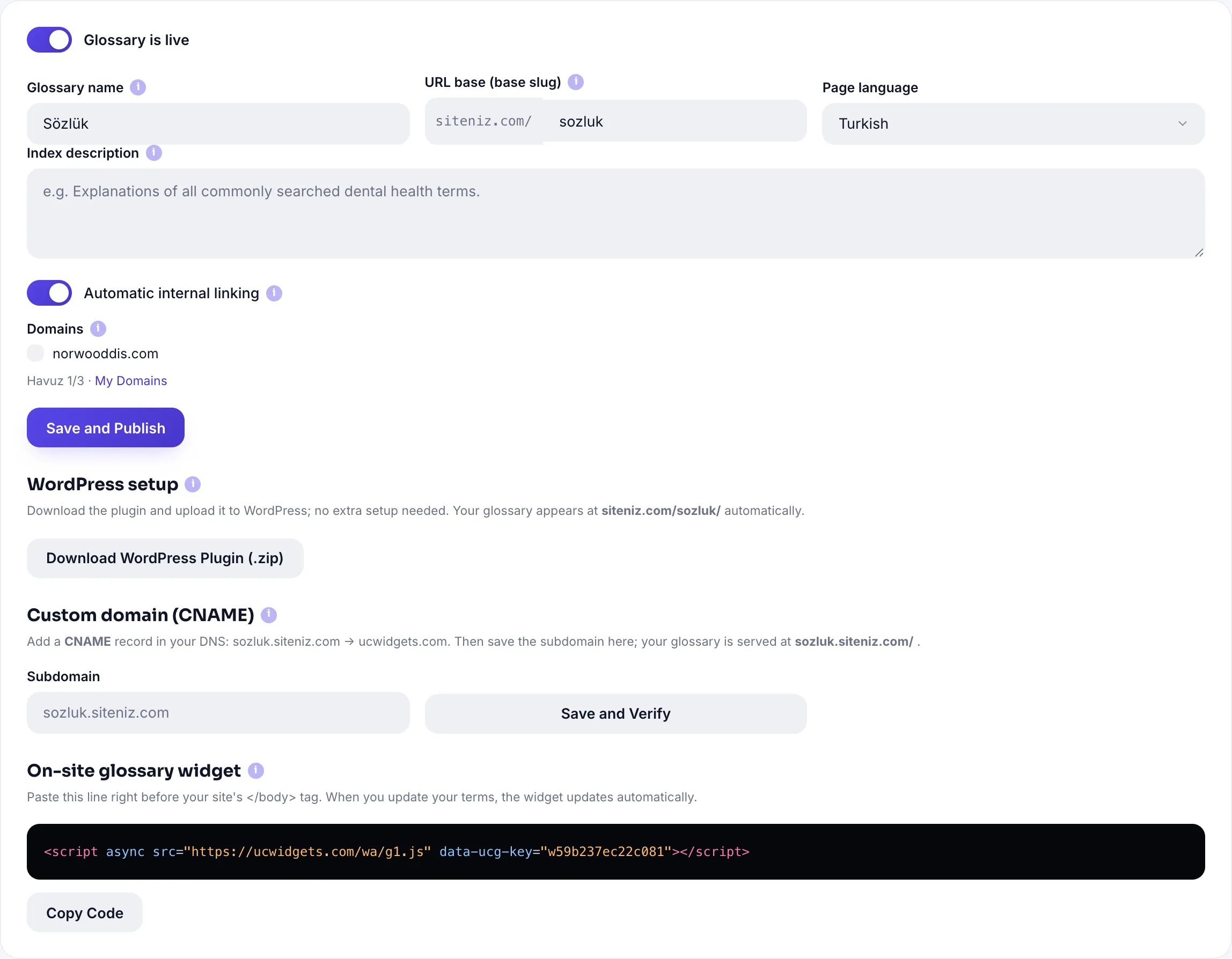
| Setting | Value | Default |
|---|---|---|
| Glossary published | on / off | On |
| Glossary name | 120 characters | Glossary |
| URL base | lowercase, hyphens | sozluk |
| Page language | Türkçe · English · Deutsch | Türkçe |
| Index description | 300 characters | empty |
| Automatic internal linking | on / off | On |
| Domains | Free 1 · Pro 3 | empty |
Automatic internal linking
When on, other glossary terms mentioned in a term's text are linked automatically. The rules: one link per term, at most six links per page; headings and existing links are never touched. This builds a strong internal link network with no manual effort, serving both SEO and the reader.
sozluk with something else turns every old address into a 404.8. Publishing the glossary on your site
The content lives in the panel; there are two ways to show it on your site:
| Method | Who it suits | Address |
|---|---|---|
| WordPress plugin | WordPress users | yoursite.com/sozluk/term/ |
| CNAME subdomain | Any stack (Wix, Shopify, custom) | sozluk.yoursite.com |
WordPress: download and install the plugin; your key ships embedded, no further setup needed.
CNAME: create a CNAME record in your DNS and enter the subdomain in the panel. We host the pages, SSL certificate included. After saving, a status badge shows where the setup is: Active, Waiting for DNS, Setup pending or Manual setup. DNS propagation can take a few hours; the system retries automatically.
In both routes the title, meta, canonical and JSON-LD tags are produced in server-side HTML, not via JavaScript. Google sees the complete page on its first crawl.
In-site glossary widget
You can also offer the glossary as a panel that opens from the corner of your site. Add this single line before </body>:
<script async src="https://ucwidgets.com/wa/g1.js" data-ucg-key="YOUR-KEY"></script>This widget is a reading convenience; it complements the SEO pages rather than replacing them.
Write your terms and turn them into real, Google-indexed pages.
UC SEO GlossaryAll Pro features free for 14 days; no credit card, live with a single line of code.
Explore UC SEO Glossary