Online Booking lets visitors book themselves according to the availability you define. The request lands in your panel, and a confirmation email plus a calendar file (ICS) go to the visitor automatically. This module is Pro.
The module has two parts: the module settings on this page (texts and notifications) and the availability settings on a separate page (working hours, services, people).
Module settings
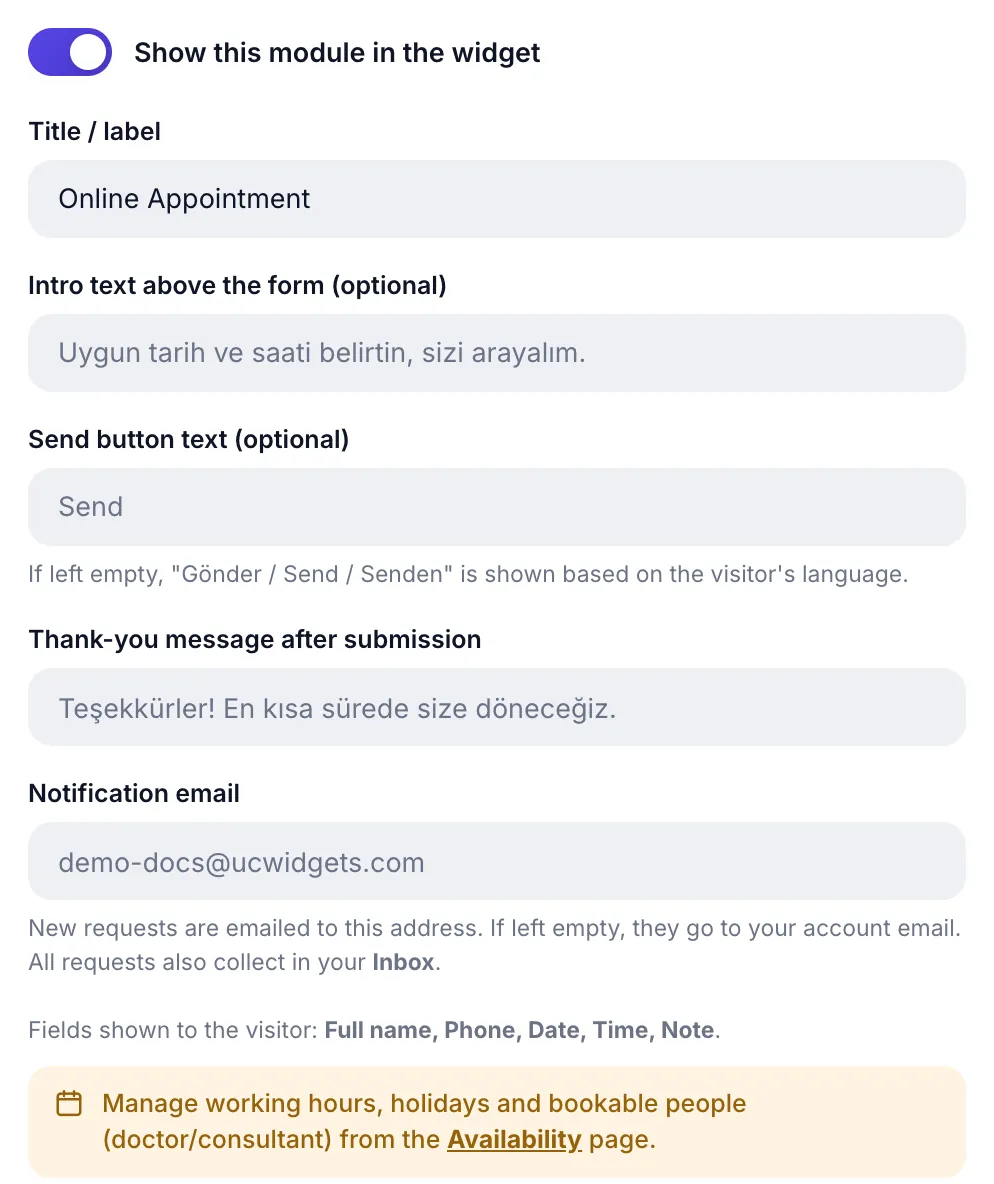
| Field | Limit | What it does |
|---|---|---|
| Intro text above the form | 160 characters | Guidance like "Pick a suitable date and time and we will call you." |
| Send button label | 30 characters | Empty means it follows the visitor's language automatically |
| Thank-you message | 160 characters | The confirmation shown after booking |
| Notification email | valid address | Where new-booking alerts go |
Fields shown to visitors
The booking form fields are fixed: Full name, Phone, Date, Time, Note. Date and time are not free text; the visitor can only pick days and times that are genuinely available, and full slots cannot be selected.
Availability lives on a separate page
Working hours, holidays, services and bookable people are managed on the Availability page, not in this module. The notice box on the module page and the Availability Settings button at the top take you there. What you define there:
- Slot settings: appointment length, how far ahead bookings are allowed, minimum notice, how many bookings per slot (capacity), time zone, date and time format.
- Weekly schedule and holidays: which hours are open on which days, and closed days.
- Branches, services and people: multiple locations, a service list and bookable people (doctor/advisor).
- Reminders and confirmation mode: pre-appointment reminders and whether bookings are automatic or need your approval.
In-page calendar
You can show the booking calendar not only in the bottom-right bubble but also inside a section of your page. Put this container wherever you want the calendar to appear:
<div data-ucwa-embed></div>As long as the install code is on the page, this container fills automatically. It is ideal for a "Contact" or "Book now" page with a booking section.
If you want in-page display only (no bubble at all), add this to the script tag in your install code:
data-ucwa-bubble="off"Booking flow
- The visitor picks a day. Only available days are selectable.
- They pick a time. Full slots are hidden; depending on your capacity setting, several bookings can share one slot.
- They leave their details and confirm. The booking lands in your panel.
- A confirmation email and ICS file are sent. The visitor can add the appointment to their own calendar.
- You manage it from the panel. From the Bookings page you can move, cancel or reach out over WhatsApp.
Appearance settings
As in other modules, the Appearance (optional) section is here too: icon badge style Pro and four color pickers. Details: the Appearance section.
Set your availability and let visitors book themselves.
Booking SystemAll Pro features free for 14 days; no credit card, live with a single line of code.
Explore UC Action Hub