Besides WhatsApp there are three more channels: Phone, Email and Social Media. All three are included in the free plan and each appears as a row in the widget menu. The visitor picks whichever suits them.
Phone module
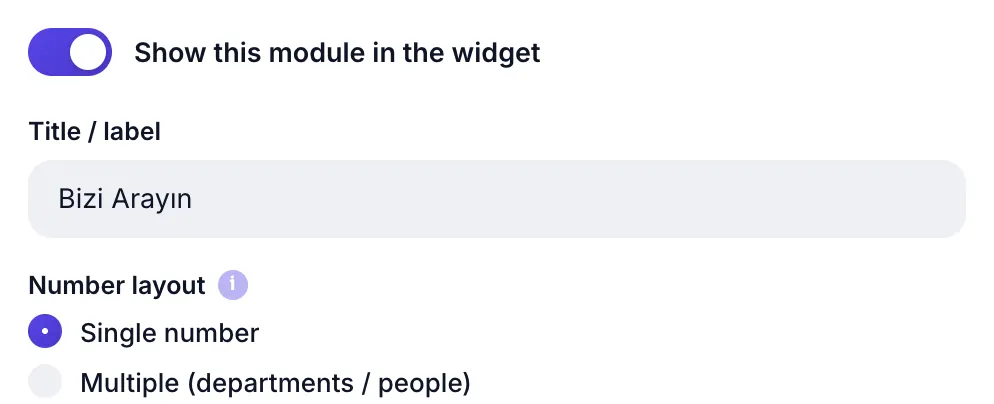
Its structure matches the WhatsApp module, with one difference: there is no pre-filled message, since a phone call has no text. On mobile, tapping the row starts the call directly.
| Setting | Value / limit | Note |
|---|---|---|
| Title / label | 40 characters | Empty reads "Call Us" |
| Number mode | Single / Multiple | Multiple is Pro |
| Phone number | with country code | As 902121112233 |
Multiple numbers: switchboard, sales, support Pro
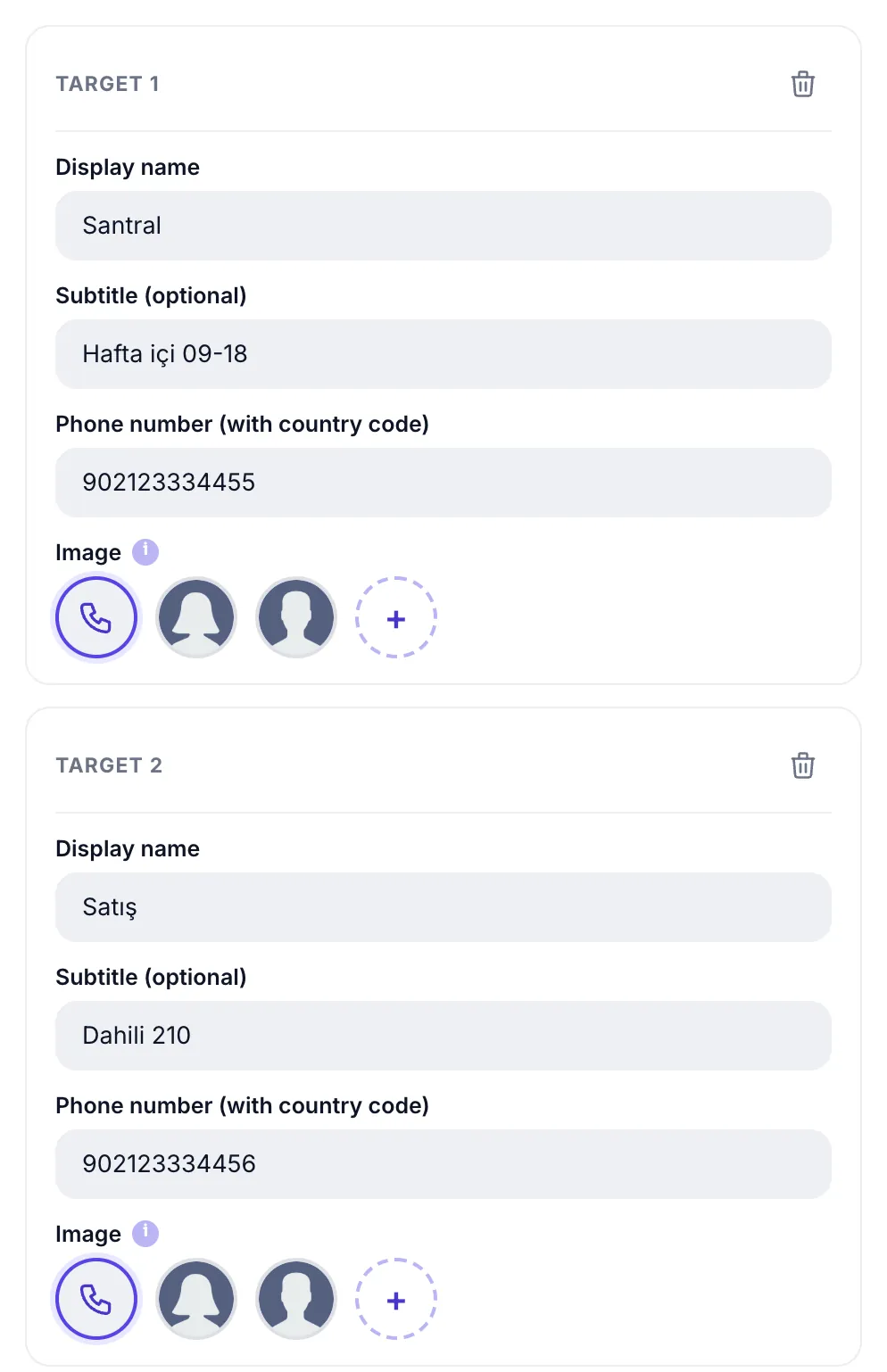
Instead of a single line you can build a department- or person-based list. The visitor picks who to call in the widget, and tapping dials that number. You can define up to 8 targets.
Setup order:
- Switch Number mode to "Multiple". Target rows appear below.
- Fill in the first target. Display name, subtitle, number and image.
- Duplicate with + Add Target. Each new row is appended to the list.
- Set the order. The panel order is the visitor's order; put the most-called line first.
- Save and Publish. The list appears on your site instantly.
| Field | Limit | Example |
|---|---|---|
| Display name | 40 characters | Switchboard · Sales · Technical Support · Ms. Kaya |
| Subtitle | 60 characters | Weekdays 09-18 · Ext. 210 · Emergency line |
| Phone number | with country code | 902121112233 · an empty row is not saved |
| Image | 4 options | Phone icon · Avatar 1 · Avatar 2 · your own photo |
There is no pre-filled message field for phone — the WhatsApp equivalent does not exist here, because a call carries no text. Apart from that, the row structure matches the WhatsApp module exactly.
Stats separation: each target gets its own key; on the statistics page you see how many times each line was called separately. That lets you answer "do people call the switchboard or go straight to sales" with data instead of a guess.
Email module
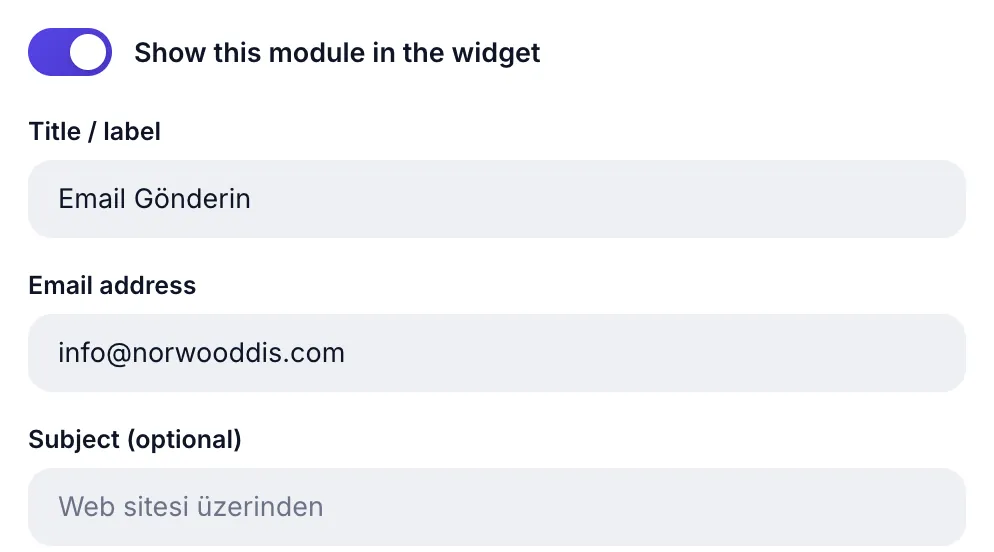
When the visitor taps the row, their email app opens with your address (and subject, if set) already filled in.
| Field | Limit | What it does |
|---|---|---|
| Email address | valid address | Where messages go; if invalid the module will not publish |
| Subject | 120 characters | Subject line, optional: "Via the website" |
Social Media module
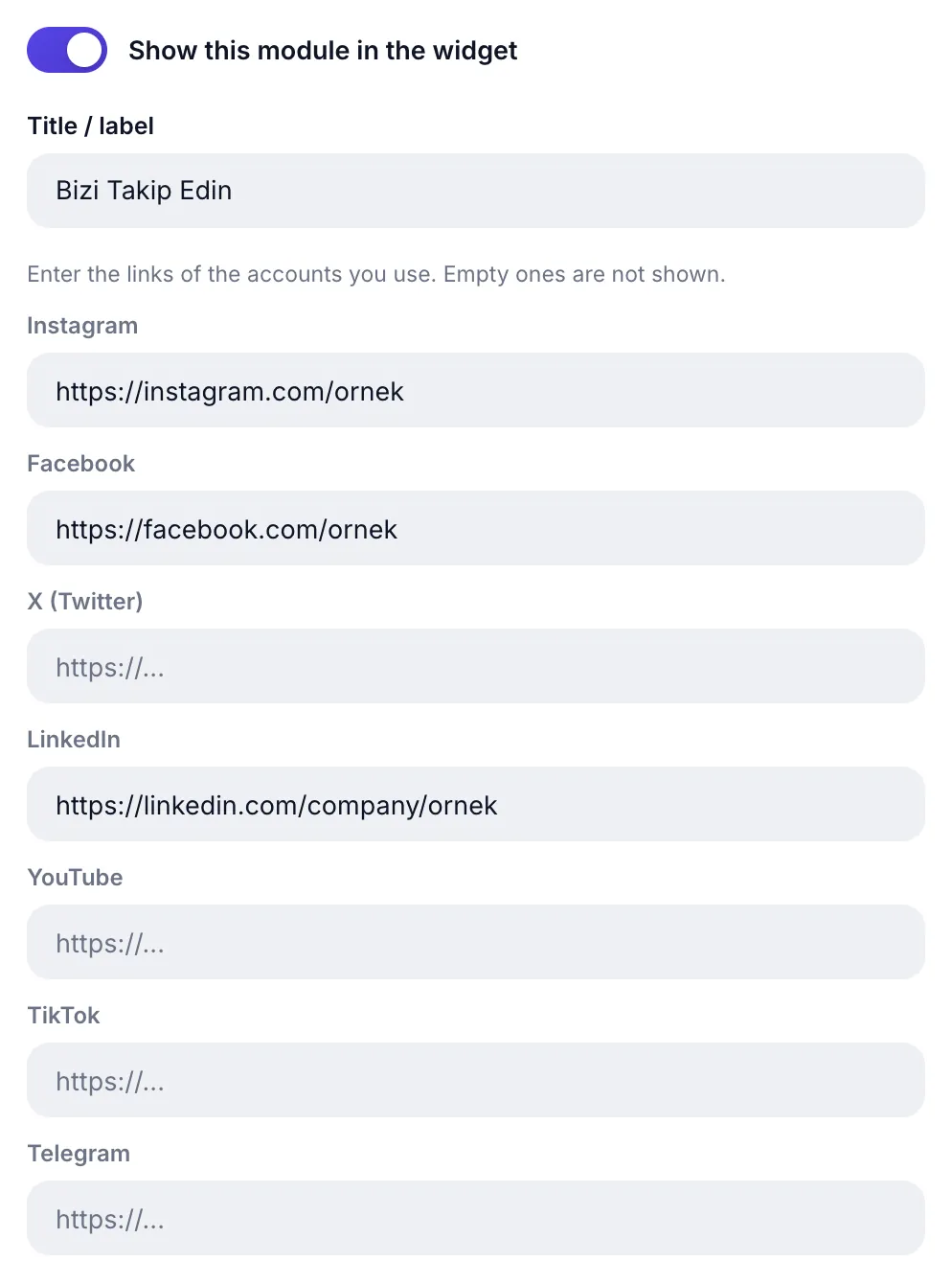
There is one link field for each of seven networks: Instagram, Facebook, X (Twitter), LinkedIn, YouTube, TikTok, Telegram. Only the ones you fill are shown; networks left empty never appear in the widget.
- You do not need to type
https://; it is added automatically when missing. - Links open in a new tab, safely.
- If no field is filled the module cannot publish; the panel warns that "no link was added".
Appearance settings in all three modules
Every module has an Appearance (optional) section: icon badge style Pro and four separate color pickers (icon color, icon background, card background, card text color). For the detailed walkthrough see the Appearance section of the WhatsApp guide; the settings are identical.
WhatsApp, phone, email and social, with a single line of code.
UC Action HubAll Pro features free for 14 days; no credit card, live with a single line of code.
Explore UC Action Hub